EPSON

Introduction

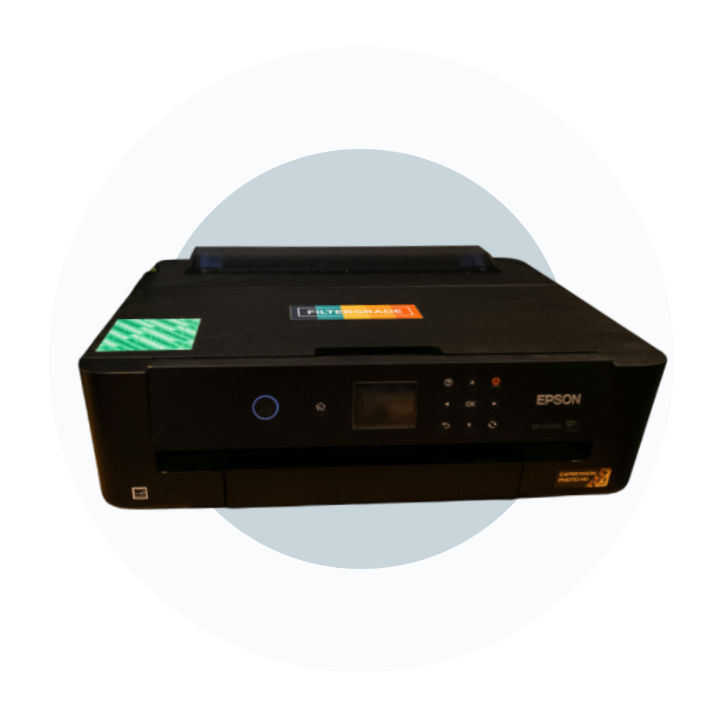
Epson, officially known as Seiko Epson Corporation, is a Japan-based multinational electronics company known for printing, imaging, and information-related products. Its headquarters are in Suwa, Nagano, Japan, and it operates through subsidiaries worldwide. Epson manufactures dot-matrix, inkjet, thermal, and laser printers for home, business, and industrial use. Its wider portfolio also includes scanners, projectors, watches, robots, and industrial equipment.

Epson is part of the Seiko Group, a name strongly associated with Seiko timepieces and precision manufacturing.

dots-2
About the company

The company behind the printer

Epson is more than just a printer brand today. It is part of Seiko Epson Corporation, the Japanese company connected with the Seiko Group. Its history dates back to 1942 in Suwa, Nagano, an area known for precision manufacturing.

Today, Epson is among the world’s leading printer manufacturers, alongside HP and Canon. Epson has maintained a particularly strong focus on inkjet printing, with product families for homes, offices, photographers, and specialised industries.

featured-epson-printer
Printer Lineup

Epson's Core Printer Technologies

Two technologies are especially important when understanding Epson’s printer range.

PrecisionCore Inkjet Technology

Epson’s PrecisionCore print head is one of its key printing technologies. Instead of relying on heat to create ink droplets, PrecisionCore uses piezoelectric elements that flex when an electrical charge is applied, allowing the printer to eject controlled amounts of ink accurately. Epson says some PrecisionCore print heads can fire up to 50,000 nozzles and produce droplets as small as 1.5 picoliters. This helps deliver detailed text, graphics, and photographs.

EcoTank Ink Tank System

Epson’s EcoTank range changed the traditional cartridge-based printer model by introducing large, refillable ink tanks built into the printer. These tanks hold substantially more ink than standard cartridges. EcoTank printers usually cost more initially, but refillable ink can lower ongoing expenses. Epson reports page costs as low as $0.003 for black and $0.008 for colour on some systems, although actual costs vary. They can suit regular home and small-business printing.

PRINTER SERIES

Epson Printer Series: A Practical Breakdown

1. EcoTank Series – High-Volume Home and Office Printing

The EcoTank range includes compact, multifunction, and wide-format models. The ET-2800 targets everyday home printing, the ET-4850 adds an automatic document feeder and fax, and the ET-16650 supports output up to 13 × 19 inches.

Who it’s really for: Families, students, remote workers, and small-business owners who print frequently.

2. WorkForce Series – Business Printing

The WorkForce range focuses on speed, productivity, and higher-volume printing. These printers are designed for offices and businesses that process documents regularly. Models such as the WF-7820 offer wide-format printing, while WorkForce Pro models such as the WF-C5890 handle heavier workloads. Some also use Epson’s Replaceable Ink Pack System (RIPS).

Who it’s really for:Businesses and offices handling larger workloads.

3. Expression Series – Photo and Home Printing

Expression Photo models focus on colour and photo quality. The XP-970 and ET-8550 use six or more ink colours, including shades such as red, grey, or matte black, for improved colour detail.

Who it’s really for: Photography enthusiasts, designers, and users who want detailed photos and creative prints.

Expression Home modelsare more compact and affordable. Printers such as the XP-4200 and XP-2200 are intended for occasional printing, scanning, and copying rather than demanding workloads.

Who it’s really for:Students, light home users, and anyone who needs basic printing without advanced business features.

4. SureColor Series – Professional and Wide-Format Printing

SureColor is Epson’s professional printing range, designed for photographers, studios, galleries, print businesses, designers, and technical users.

The SC-P range uses UltraChrome pigment inks for professional photo and fine-art applications, while the SC-T range is designed for large-format technical documents. Epson also offers SC-F models for textile and apparel printing.

Who it’s really for:Professional photographers, print studios, designers, apparel businesses, architects, engineers, and other specialised users.

Connectivity

How do Epson Printers Connect?

Most newer Epson printers widely support Wi-Fi connections, allowing computers, phones, and tablets to print wirelessly. Wi-Fi Direct can also connect compatible devices directly to the printer without requiring a traditional router.

Epson Connect provides features such as Email Print and Remote Print Driver. The Epson Smart Panel app also helps with setup and wireless printing on compatible models.

Many current models support Apple AirPrint and Mopria, allowing compatible Apple and Android devices to print without installing traditional printer drivers.

pexels-mallonymedia-5727002
Frequently Asked Questions

3 Questions to Ask When Choosing The Right Printer For You

Ans:If you print only a few dozen pages monthly, an entry-level model may be enough. At around 100–300 pages, an EcoTank can be worth considering. Higher-volume users can look at WorkForce Pro or specialised models.

Ans: Photo printing prioritises colour accuracy and ink selection, while office printing usually focuses on speed, reliability, and running costs.

Ans: Standard A4 or letter-size paper is supported by many Epson printers. However, if you plan to print borderless photos, cardstock, labels, fabric, or other speciality media, check the model’s media compatibility before purchasing.

PRINTER SUSTAINABILITY

Epson and Sustainability

EcoTank printers can reduce the number of empty cartridges that need to be discarded. Epson estimates that one ink bottle can replace around 70 individual ink cartridges, although the exact comparison varies according to the printer and usage.

Epson also promotes Heat-Free Technology, intended to reduce energy consumption, and has announced long-term environmental goals.

CHOOSING YOUR EPSON PRINTER

What to Do After Choosing Your Epson Printer

Setting up a compatible Epson printer is generally easy. The Epson Smart Panel app can guide users through wireless setup and other initial configuration steps. After installation, registering the printer with Epson can provide access to warranty information and eligible services.

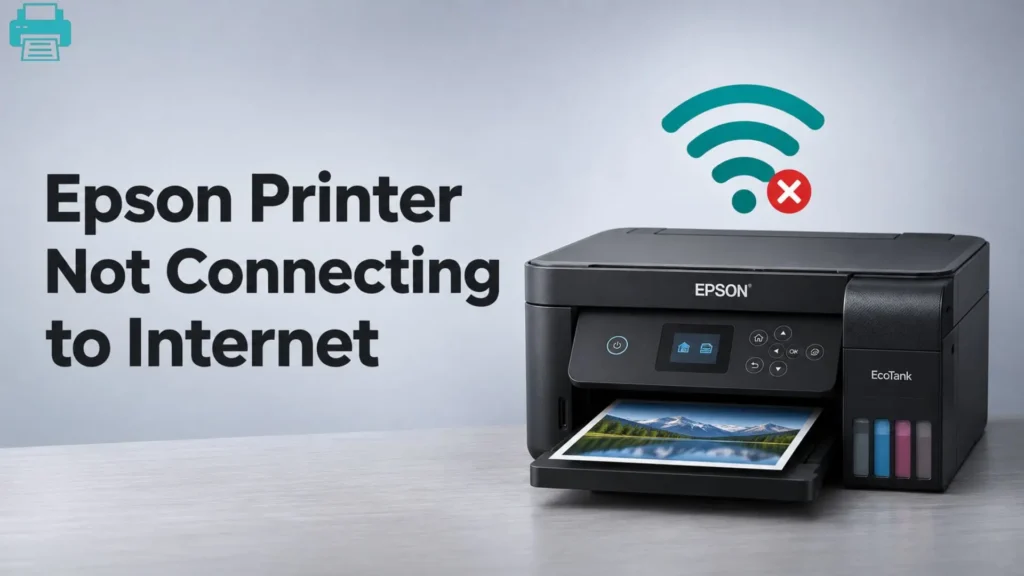
If you experience offline status, Wi-Fi failures, paper-feed errors, or driver conflicts, the relevant troubleshooting steps can help identify the cause.

The right Epson printer depends on how you plan to use it. EcoTank suits regular printing, WorkForce focuses on business productivity, Expression covers home and creative use, and SureColor targets professional applications. Compare printing volume, quality, connectivity, and media requirements before buying.

Resolve at your own pace.

Knowledge Base

Lorem ipsum dolor sit amet, consectetur adipiscing elit. Ut elit tellus, luctus nec ullamcorper mattis, pulvinar dapibus leo.

  • All Posts
  • Brother
  • Canon
  • Epson
  • Hp
Load More

End of Content.